
YOU-MAY-LIKE
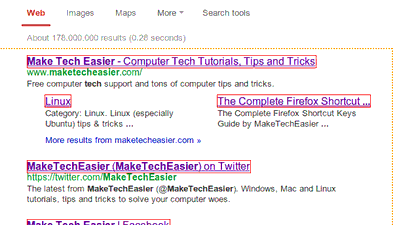
How To Open Multiple Links in Chrome
There are lots of web apps and browser tools that make surfing the web quicker and more efficient. W

Analyze Writing Errors with SlickWrite for Firefox and Chrome
Writing for any purpose requires a great deal of editing and proofreading. Most spelling and grammar

How To Read ODT Documents Inside Your Browser
Various web services tout that they can open Microsoft Office files with ease, but what about files

Can Tor Really Protect Your Online Privacy From The NSA (And Other Government Organizations)?
Not too long ago, a wonderful thing called onion routing (OR) has been invented. It was meant to pro

Why You Should Have Local Backups Of Your Cloud Backup
Welcome to the cloud era, a point in our history where we think it’s a great idea to let data fly

What Is “UTM_Source” And Should You Be Worried?
You see it all the time in news stories you click into from Facebook, your email inbox, and many oth
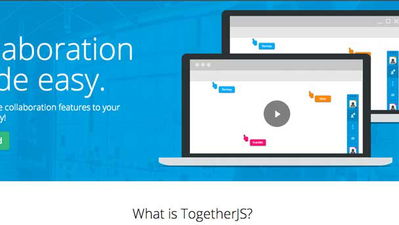
How to Easily Enable Real-time Collaboration on Your Site
If you are a webmaster, you might be thinking of how you can make your website more interactive, or
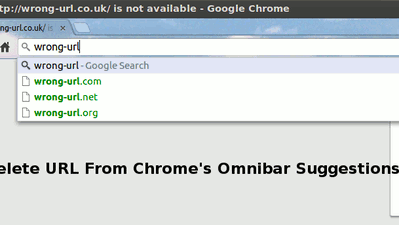
How to Delete a URL From Chrome’s Omnibox Suggestions
When you enter a URL in the Chrome Omnibar, that URL will be saved in the browser history and will s
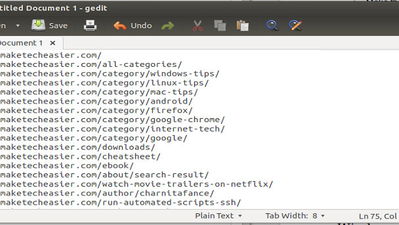
How to Copy All Links on a Web Page in Firefox
Has there ever been a time where you wanted to copy all links on a web page while browsing? Or maybe

4 Ways to Embed and Email Web Pages to Your Friends
A lot of people want to email web pages that they are viewing with a friend or colleague by sending
How to Enable Two-Factor Authentication in Buffer
Each month more and more applications are jumping on the two-factor authentication bandwagon, and ri

How Does ICANN’s Relationship with the US Affect You?
You’ve probably heard on the news something about ICANN and its “cozy relationship with the Unit
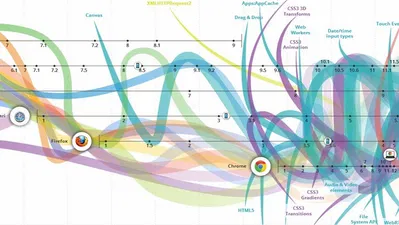
What You Need to Know About Future Web Standards (That are Making the Internet Better)
While it started as an experiment forty years ago, the Internet has become a very important part of

Internet Censorship: How Countries Block Their Citizens from Entering Websites
Iran, Yemen, China, North Korea, Turkey, and many other countries on the globe have at one point or

Does Disabling DHCP on Your Router Really Help Your Security?
Unless you’re hooking up one single computer to an Ethernet-based Internet connection, there’s a

Big List of Tools and Services to Help You Read Everything Faster
Refresh your Twitter, pull down your facebook news feed, visit your favorite sites, and find yoursel
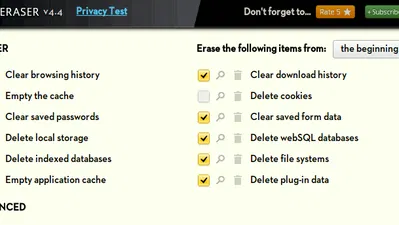
Use History Eraser to Quickly Wipe Your History in Chrome
Did you know that when you visit a site in your browser, it will leave a trace in your browser’s h

How to Copy Multiple Texts in Firefox
Collecting data from the web can be a tedious task, and working from one web page to another can ta

Everything You Need to Know About The “Rosetta” Flash Exploit
Everyone who’s tech-savvy already knows that Flash isn’t exactly the safest piece of software to

How to Add Notes to Specific URLs in Chrome
The Internet is filled with information and is a valuable resource for anyone who’s doing research
How to Change WordPress Permalink Structure
For any website, URL structure is one of the most important factors for good SEO ranking. However, t

4 Must-Have Chrome Extensions for YouTube Enthusiasts
YouTube is a great video streaming service with its ocean of user-generated videos ranging from educ

9 YouTube Features You Probably Haven’t Heard of
Everyone knows about YouTube. With hours and hours of video footage uploaded every couple of minutes

5 Chrome Apps to Maximize Your Productivity
In this busy day and age, it’s good to know there are many productivity apps that can help us beco
About Netverse
We are a premier digital platform committed to delivering high-quality content to our readers. Our mission is to provide accurate, reliable, and engaging information that adds value to our audience's daily lives.
Our team consists of experienced content creators and subject matter experts who uphold the highest standards of professionalism. In an era of information overload, we curate content with care, ensuring our users receive only the most relevant and trustworthy information.
Beyond just reporting facts, we focus on depth and context. Through expert analysis, comprehensive research, and clear presentation, we help our audience gain meaningful insights and make informed decisions.
We take pride in being a trusted information source for our growing community of readers. Our user-first approach means we continuously adapt to provide content that meets our audience's evolving needs and interests.
Innovation and excellence drive everything we do. We're committed to improving our platform and services to deliver the best possible experience for our users.